project and scope
TRAWAY — a tour search service
TravelTech
task and process
TASK AND PROCESS
TASK
Develop a tour search service that helps users decide where to go on vacation, conveniently compare options, plan their trip in advance, and receive all the important information about their trip in one place
PROCESS
Audience research
Competitor analysis
User scenario
Interface design
Final interface development
audience research
AUDIENCE RESEARCH
During the research phase, I conducted user interviews to understand how people plan vacations and what criteria they use to choose travel. During the interviews, I found out what people pay attention to when choosing a trip, what is important to them when planning a vacation, how they make decisions, and what difficulties they face
How to plan a trip
choose tours
organize trips independently
look for information online
ask questions on forums
What's inconvenient
commissions on tours
you need to spend a lot of time planning
it's difficult to choose the best option
competitor analysis
COMPETITOR ANALYSIS
To analyze competitors, I studied direct and indirect services related to travel search and planning. During the analysis, I was able to identify successful solutions, as well as identify inconvenient points that could be improved in my own product
Direct competitors

Level Travel

Travelata

WB travel

Kupibilet
Indirect competitors

Yandex Afisha

МТС Live

Topshop

Lamoda
CONCLUSIONS
Simple and clean interfaces help you navigate the service faster
It is important for users to see basic information about the trip already in the cards
Useful tools like a map, price calendar, and filters make choosing a tour easier
Users face difficulties in comparing rooms, do not understand the differences between tariffs and get lost in the large amount of information when booking a tour
Custom Script
CUSTOM SCRIPT
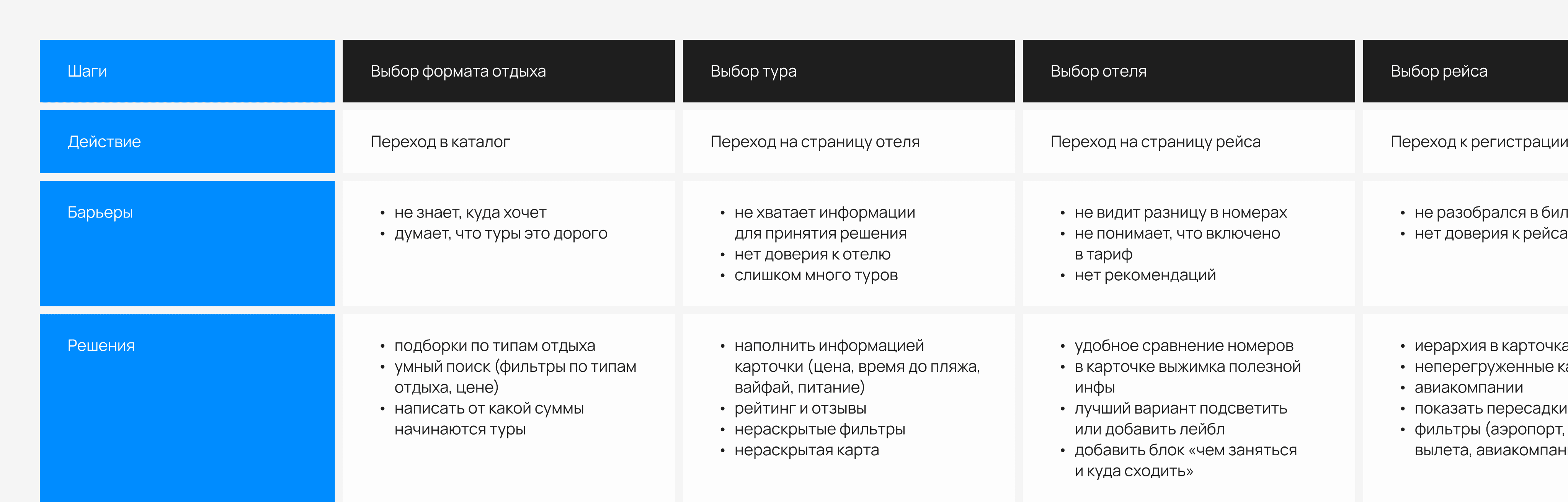
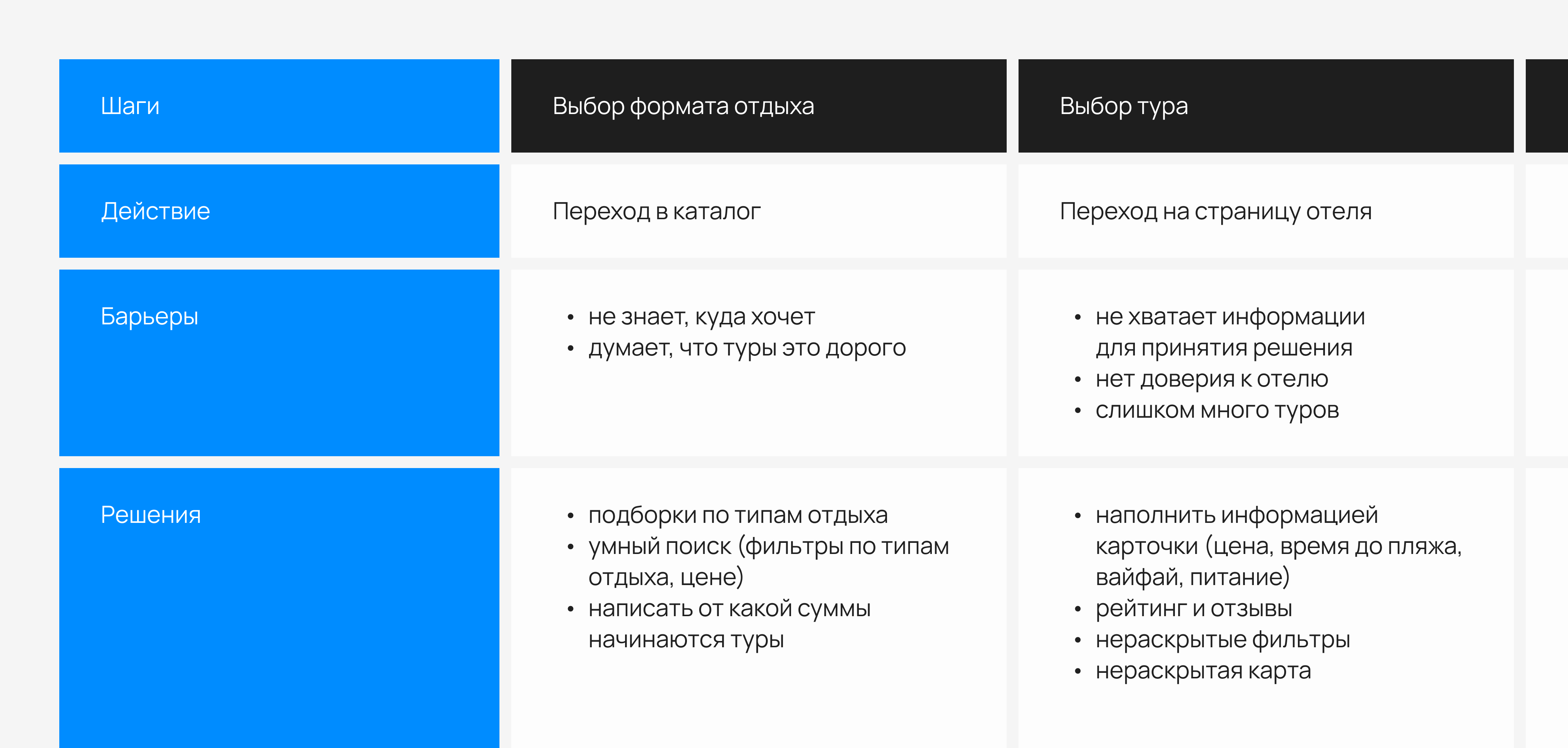
Based on audience and competitor analysis, I created a user scenario that helped define the main steps a user takes when searching for a trip. In the process of developing the scenario, I was able to identify potential barriers that people might encounter and develop solutions for them
Conclusions
At each stage, it is important for the user to understand what is happening in the booking process
The main barriers arise from interface overload and lack of information for decision making
The booking process should remain simple and clear: the user should be able to quickly compare options, understand the differences between rates, and book a tour without unnecessary steps and a large number of fields
It is important to save and display information about the selected hotel, rate, flight and passengers at all stages of the booking process
prototyping
prototyping
After developing the user scenario, I moved on to creating interface prototypes. At this stage, it was important to think through the structure of the screens, the arrangement of information, and the user's interaction with the service, taking into account the identified barriers and solutions
final interface
FINAL interface
main page
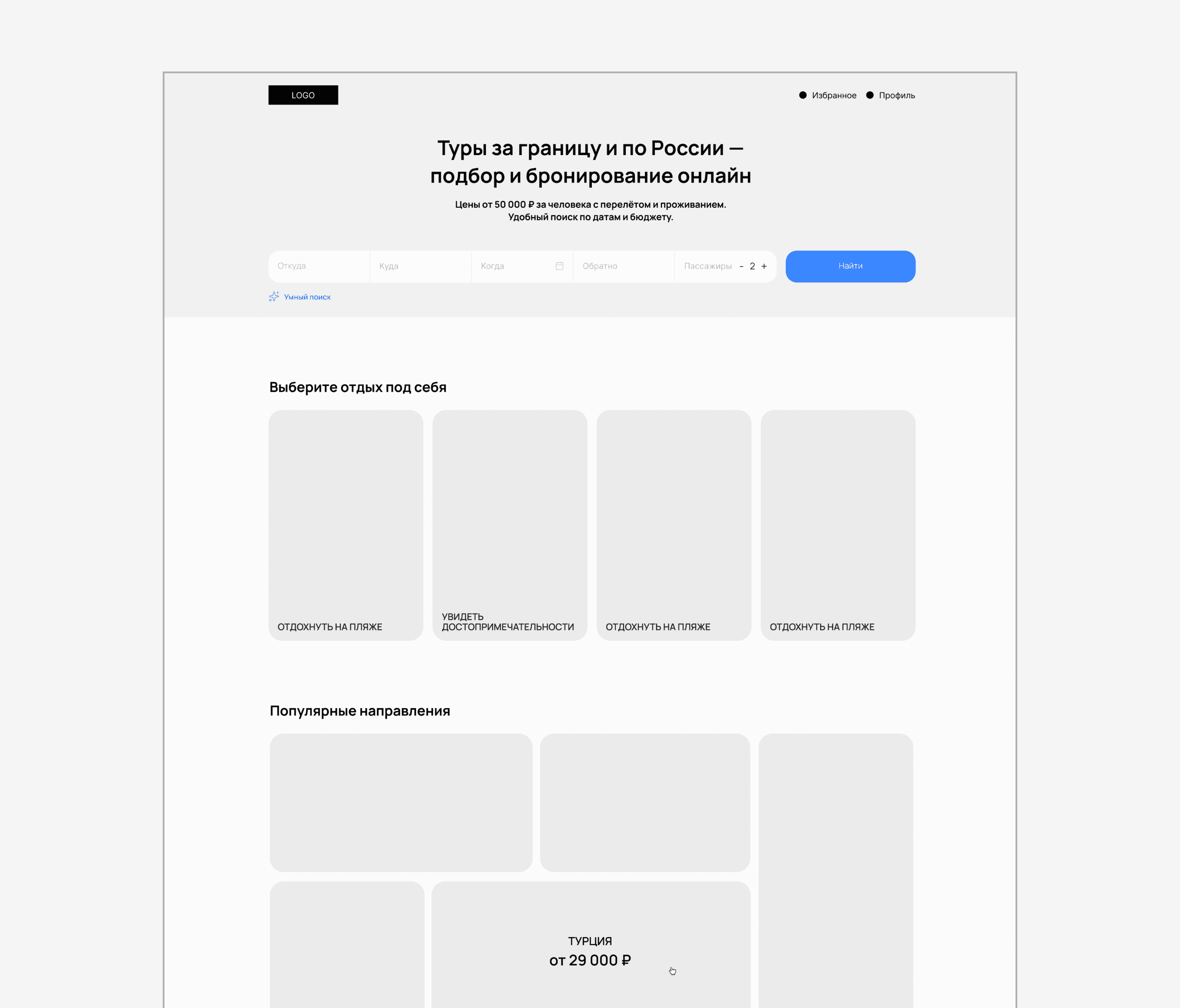
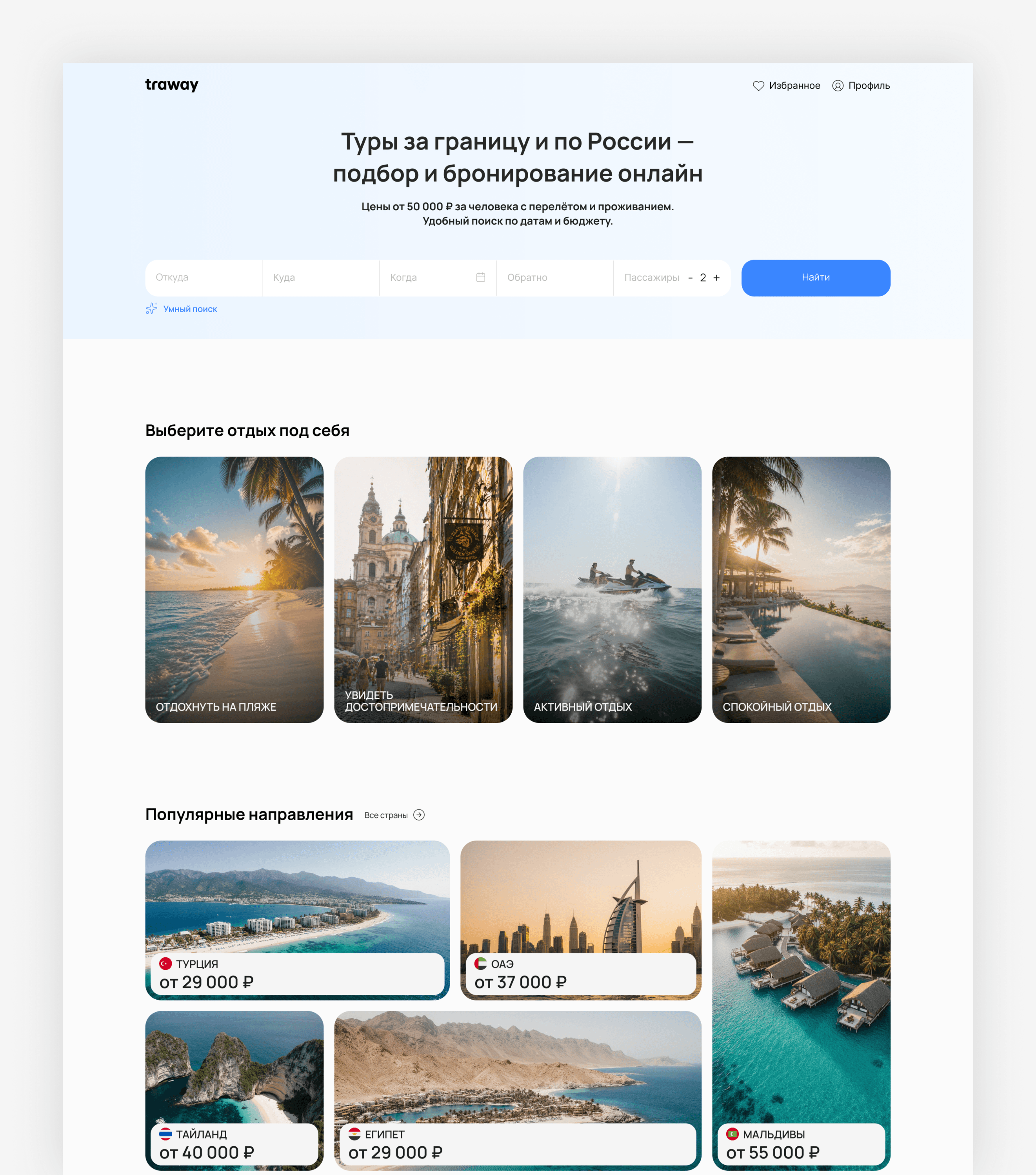
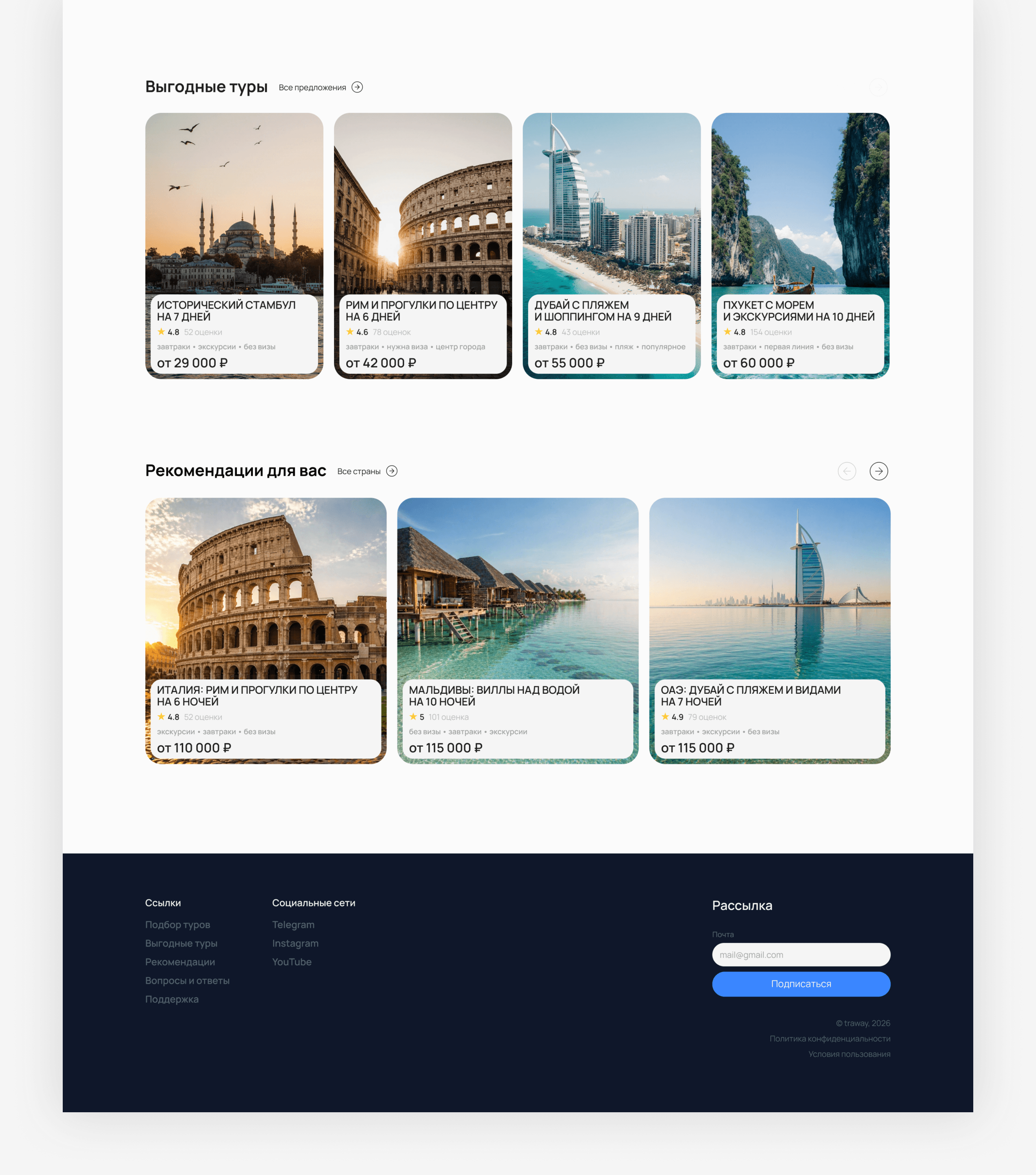
The home page helps to start searching for a tour depending on the user's request
For users who have already decided on a trip, a standard search widget has been added
The Smart Search feature allows you to describe your desired vacation in free form
Thematic selections help you quickly decide on the destination and type of vacation
catalog
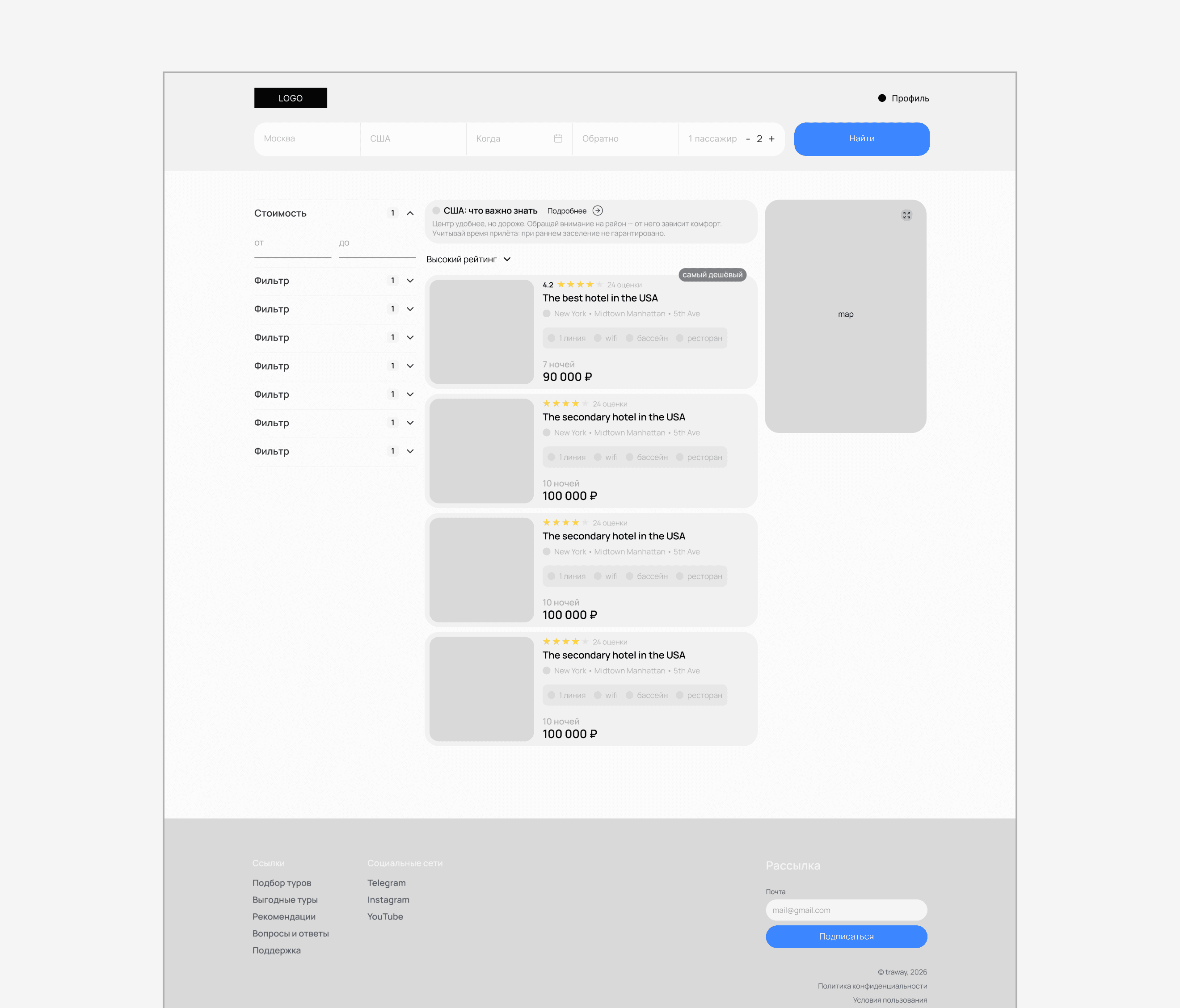
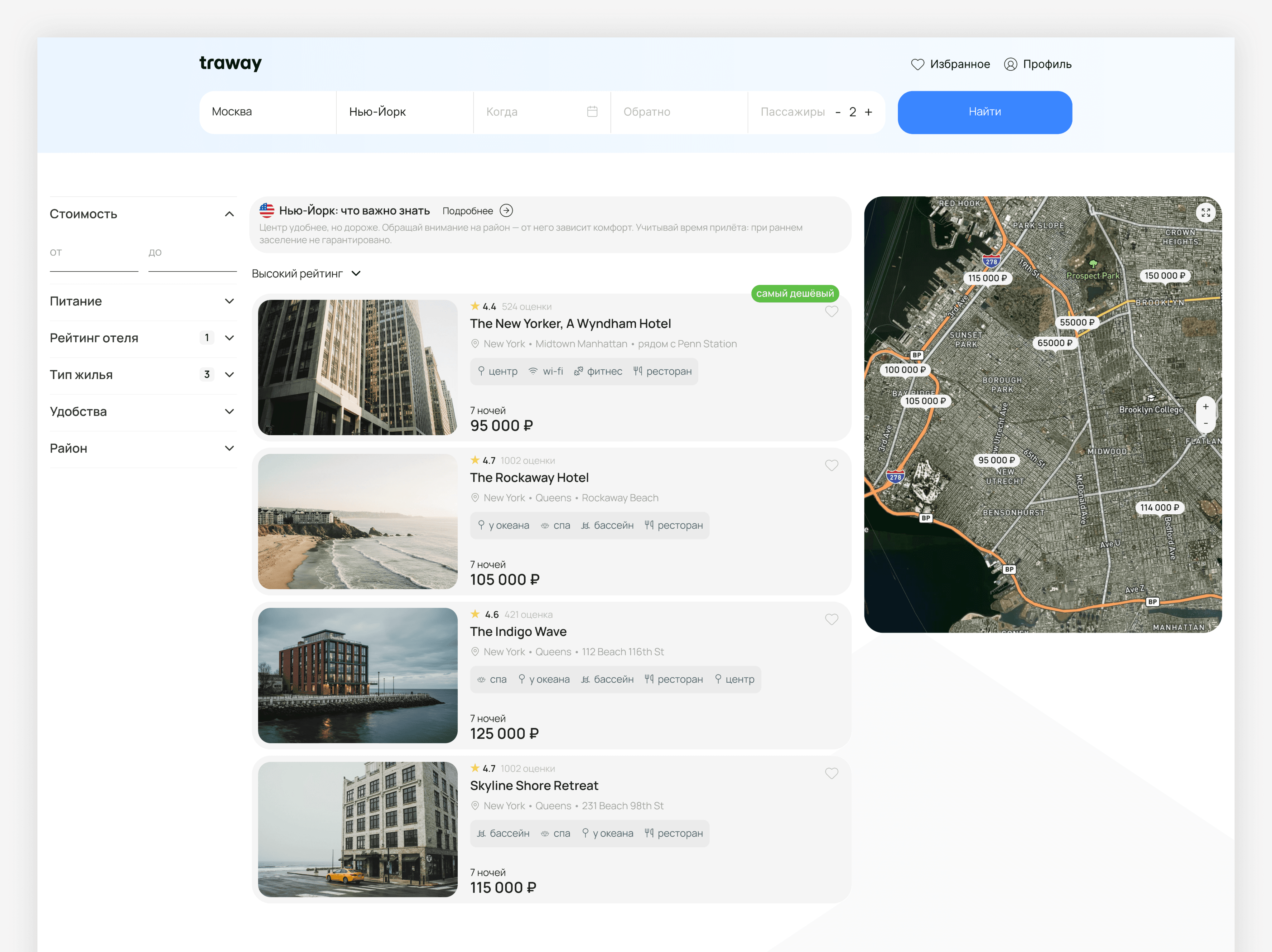
The cards display key trip parameters for quick comparison of options:
rating
location
facilities
cost of accommodation.
On the right is a map that helps you evaluate hotel locations and prices
hotel card
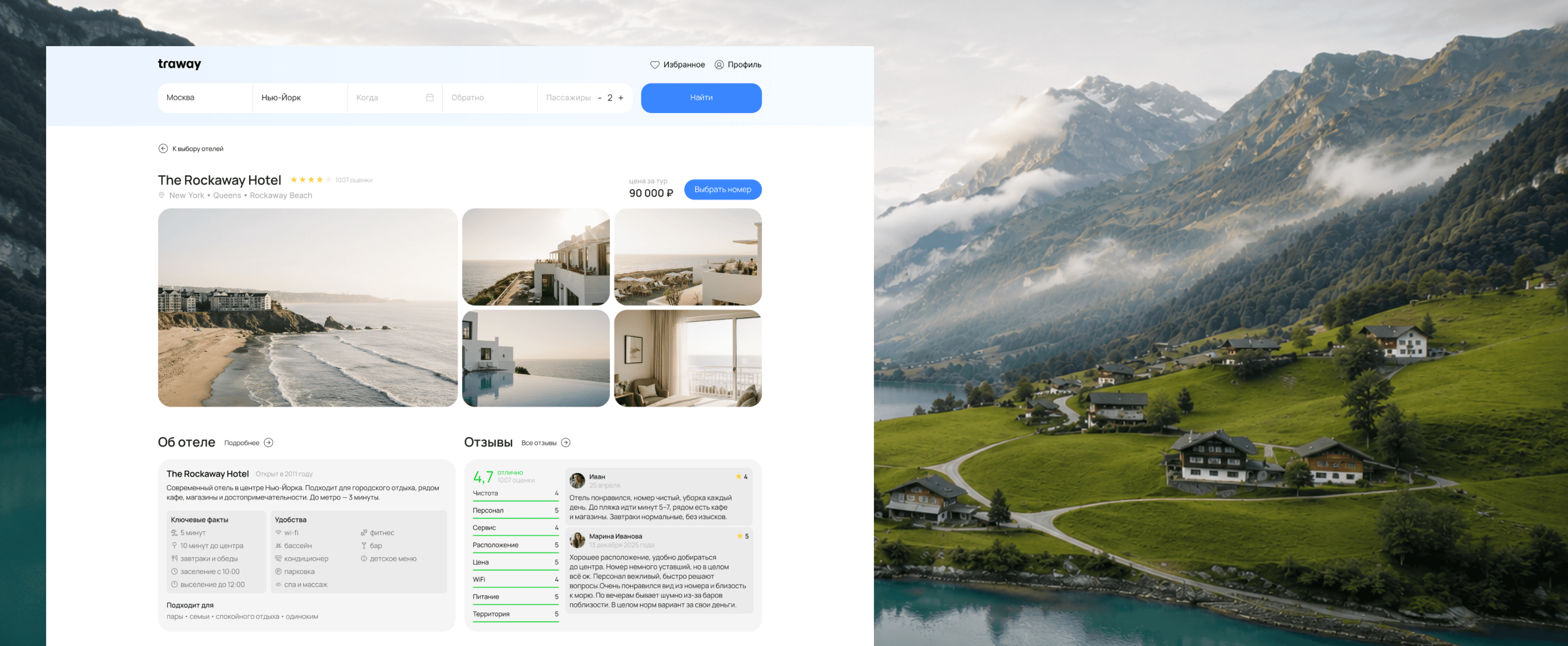
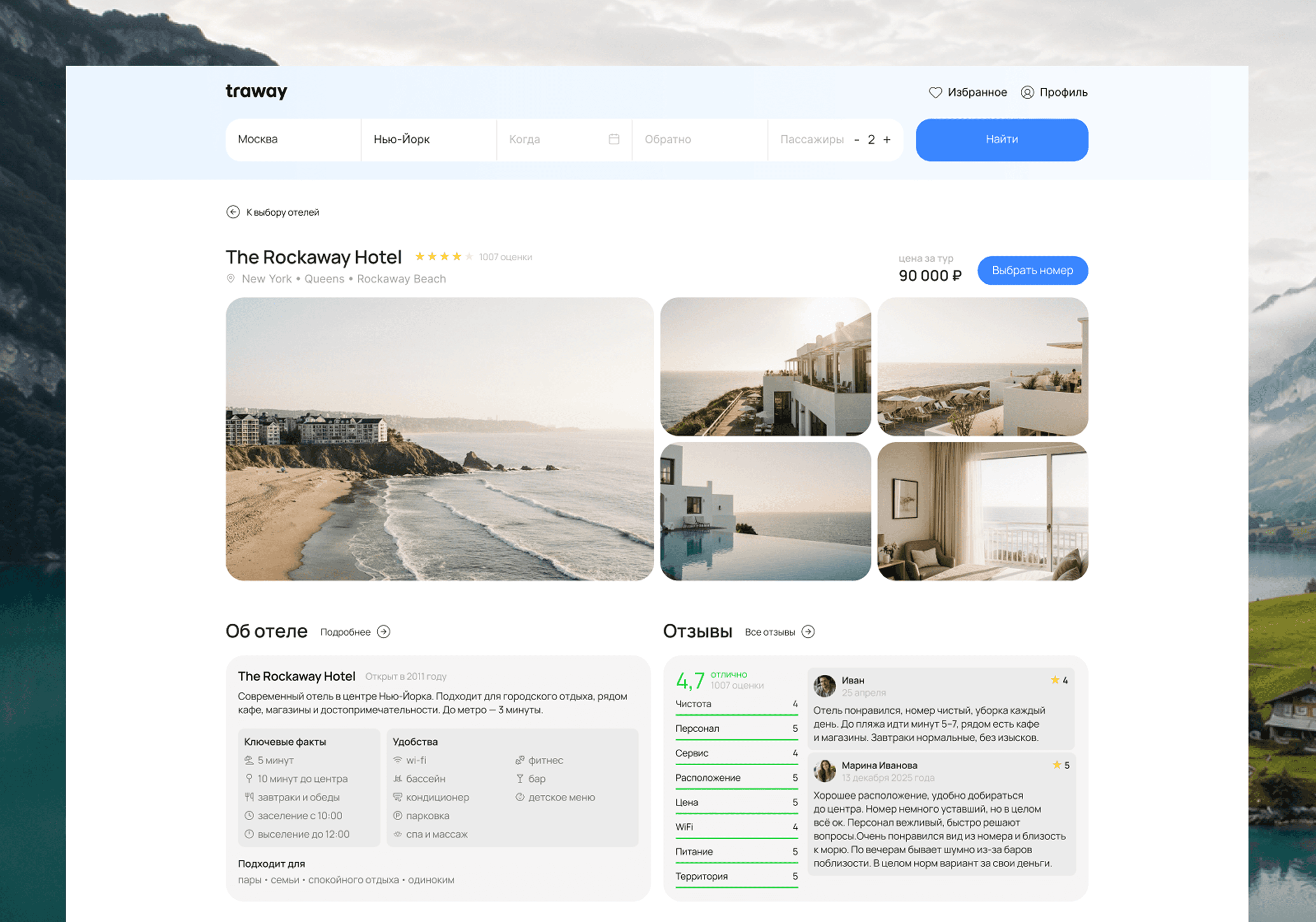
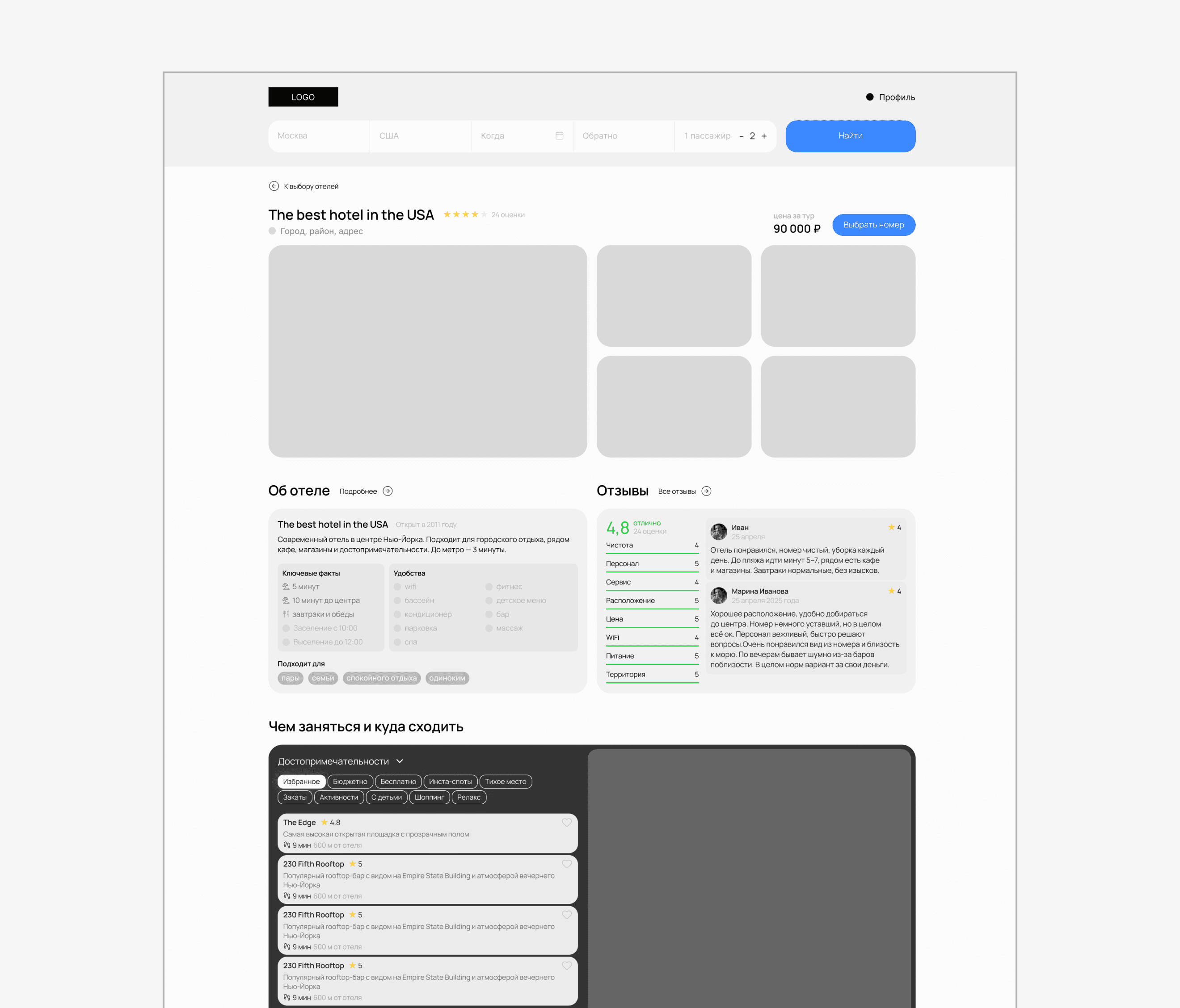
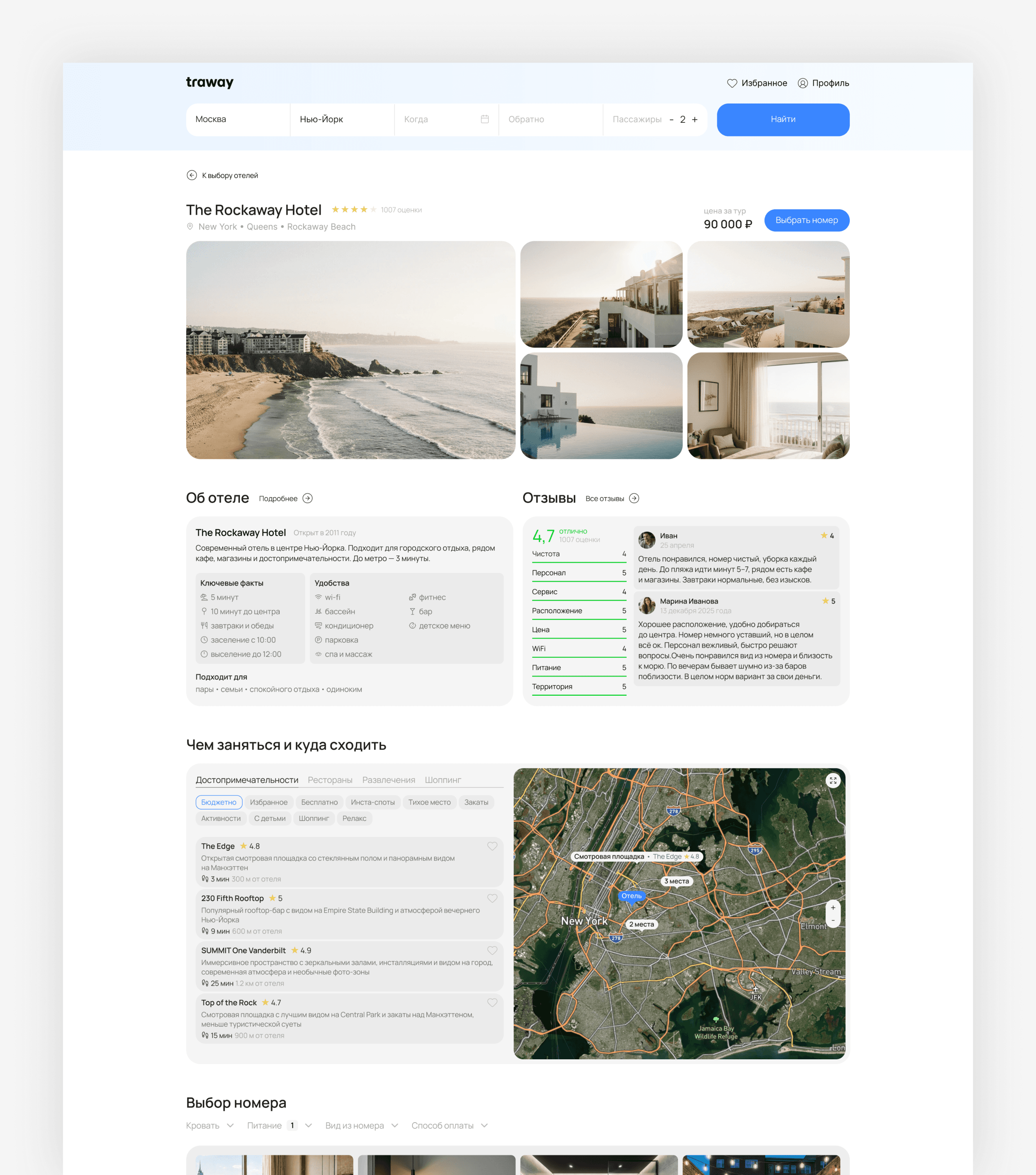
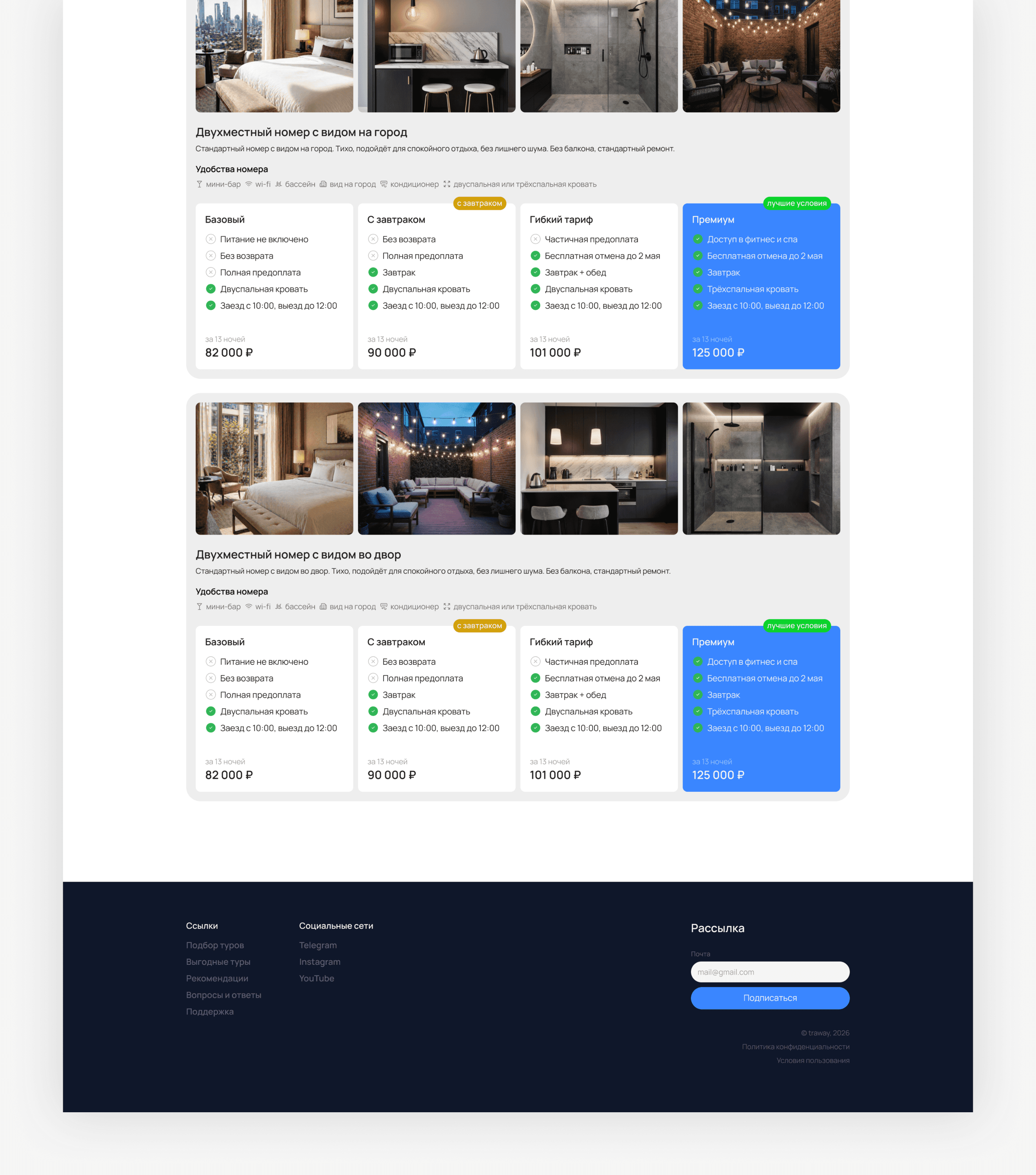
A page with detailed information about the hotel and room selection
A "Things to do and places to visit" section has been added to help you plan your off-site getaway in advance. You can select the type of place and see its location relative to the hotel
Room cards display key information for quick comparison
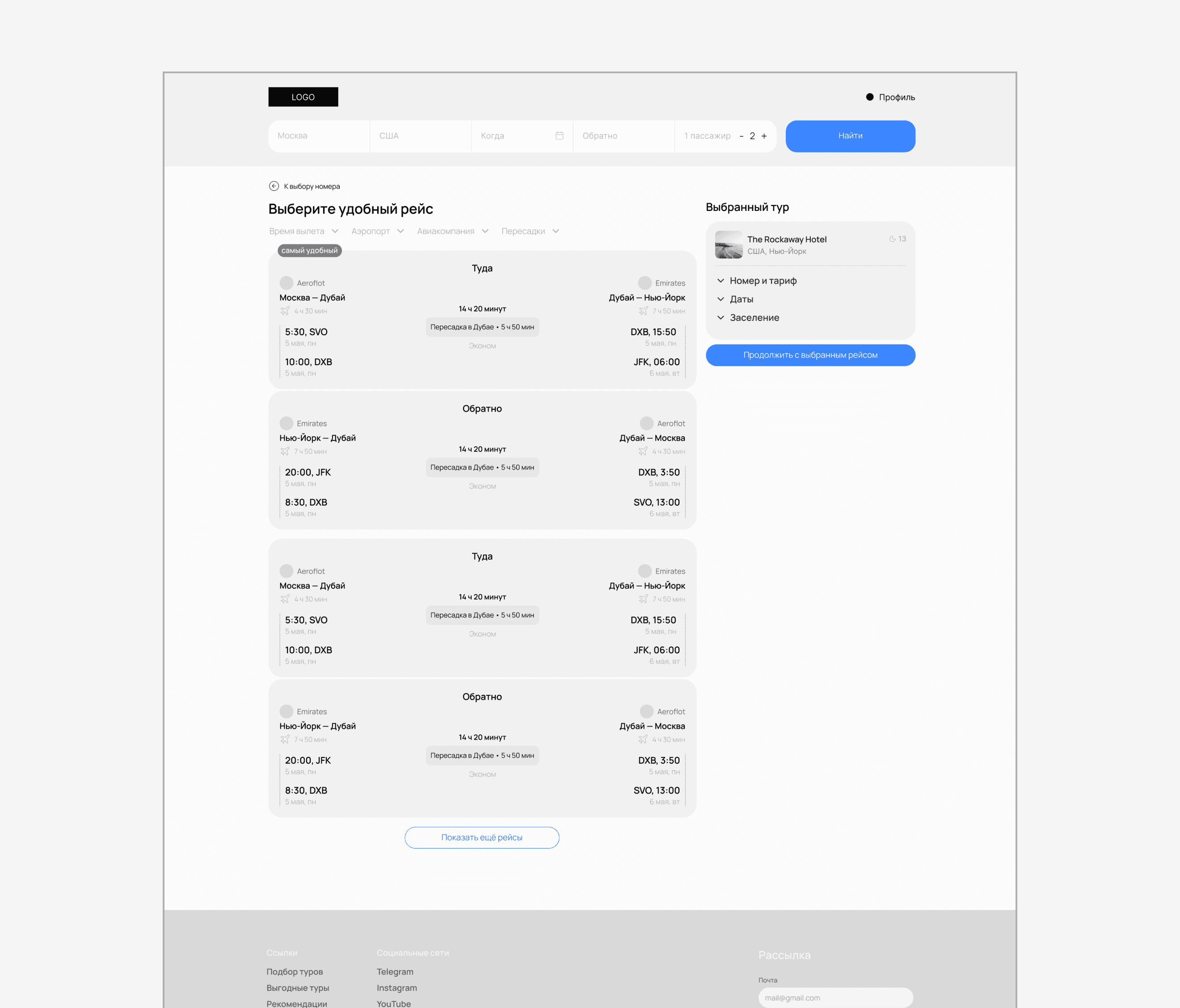
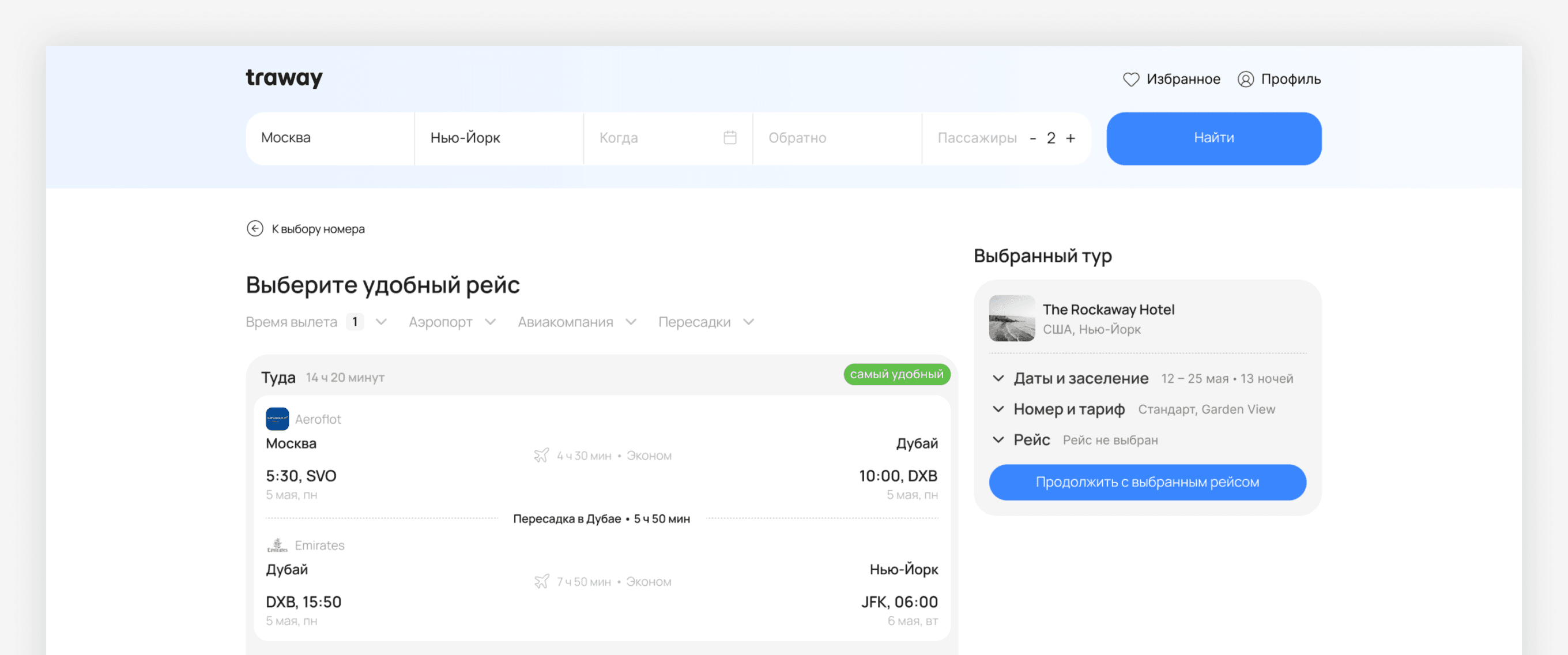
Page for choosing a suitable flight for your trip
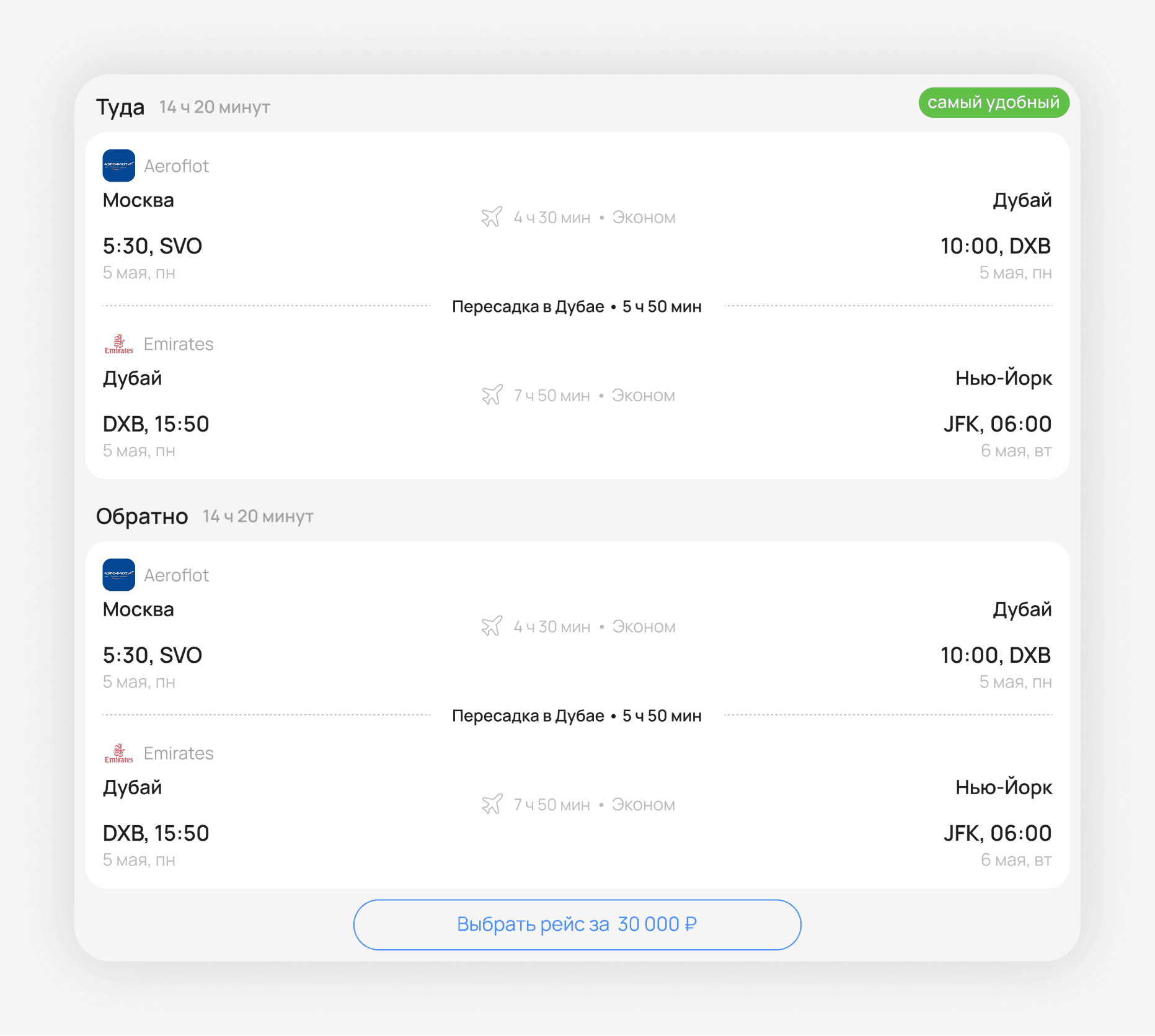
Flight cards contain key information for quick comparison of options
Filters by airport, departure time, airline, and transfers have been added
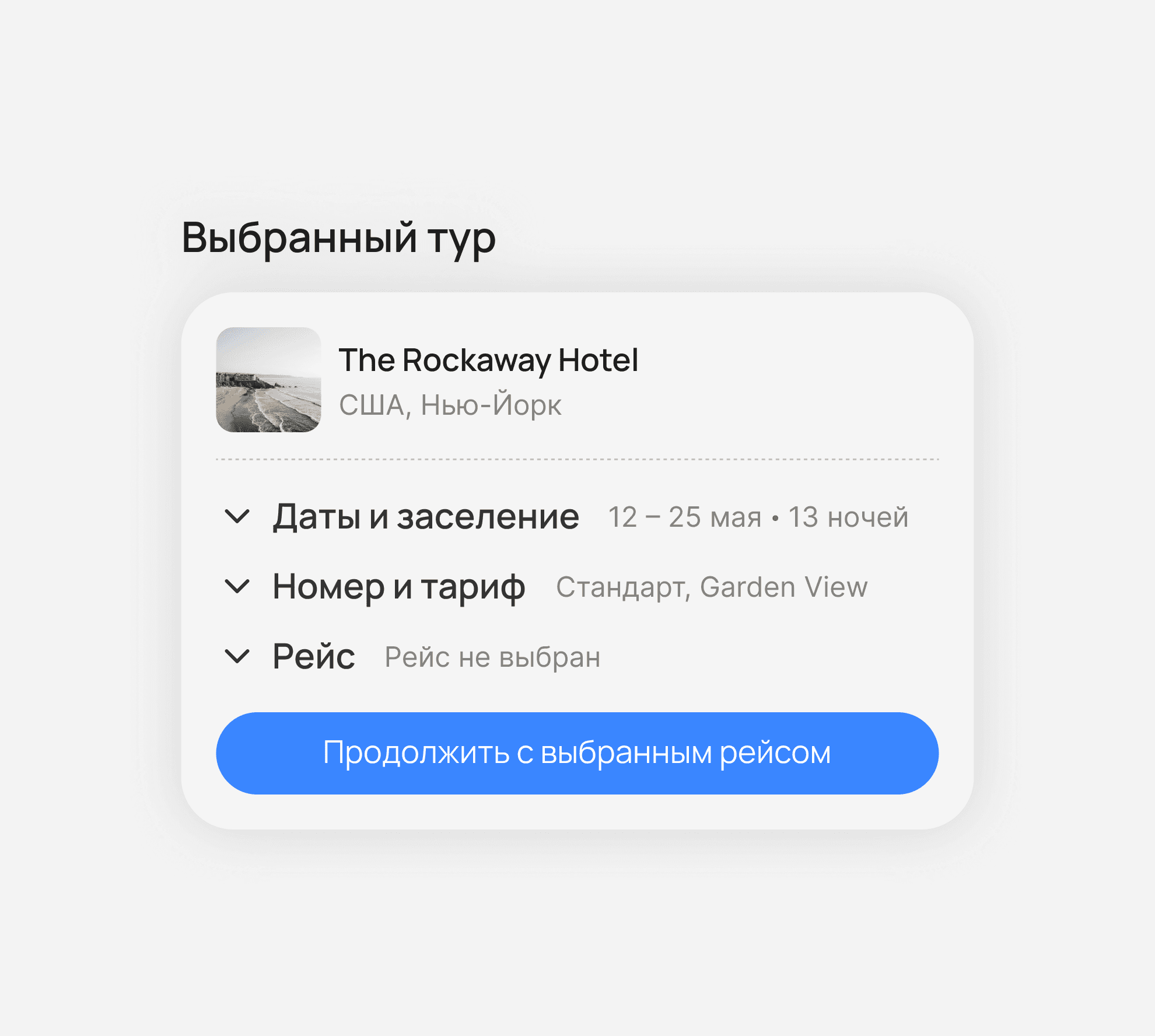
The summary block helps you see your selected options at each stage of your booking
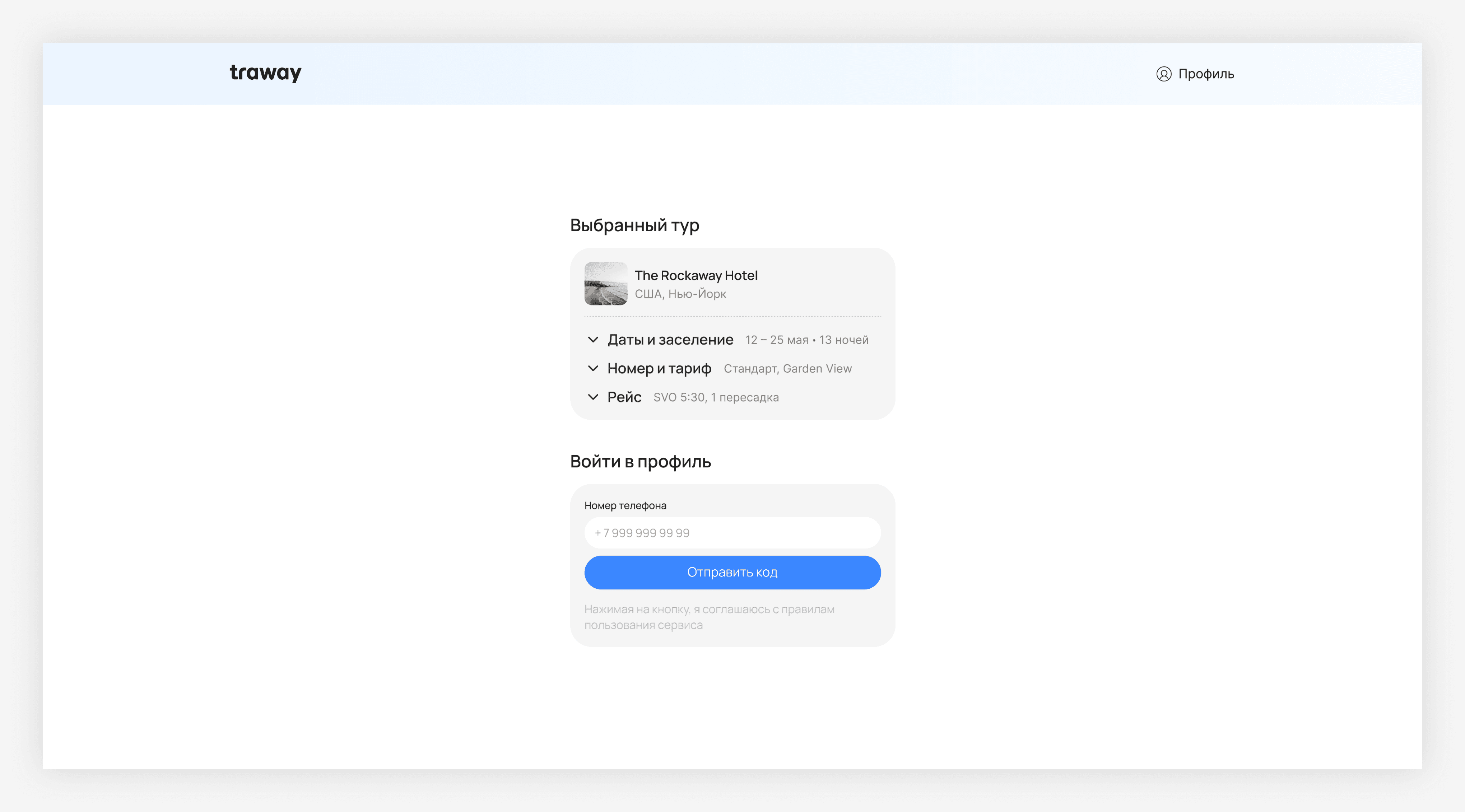
At the login stage, the user sees brief information about the selected tour to ensure the correct parameters have been selected before continuing with the booking. To log in to your profile, simply enter your phone number and confirm it with a code sent via SMS
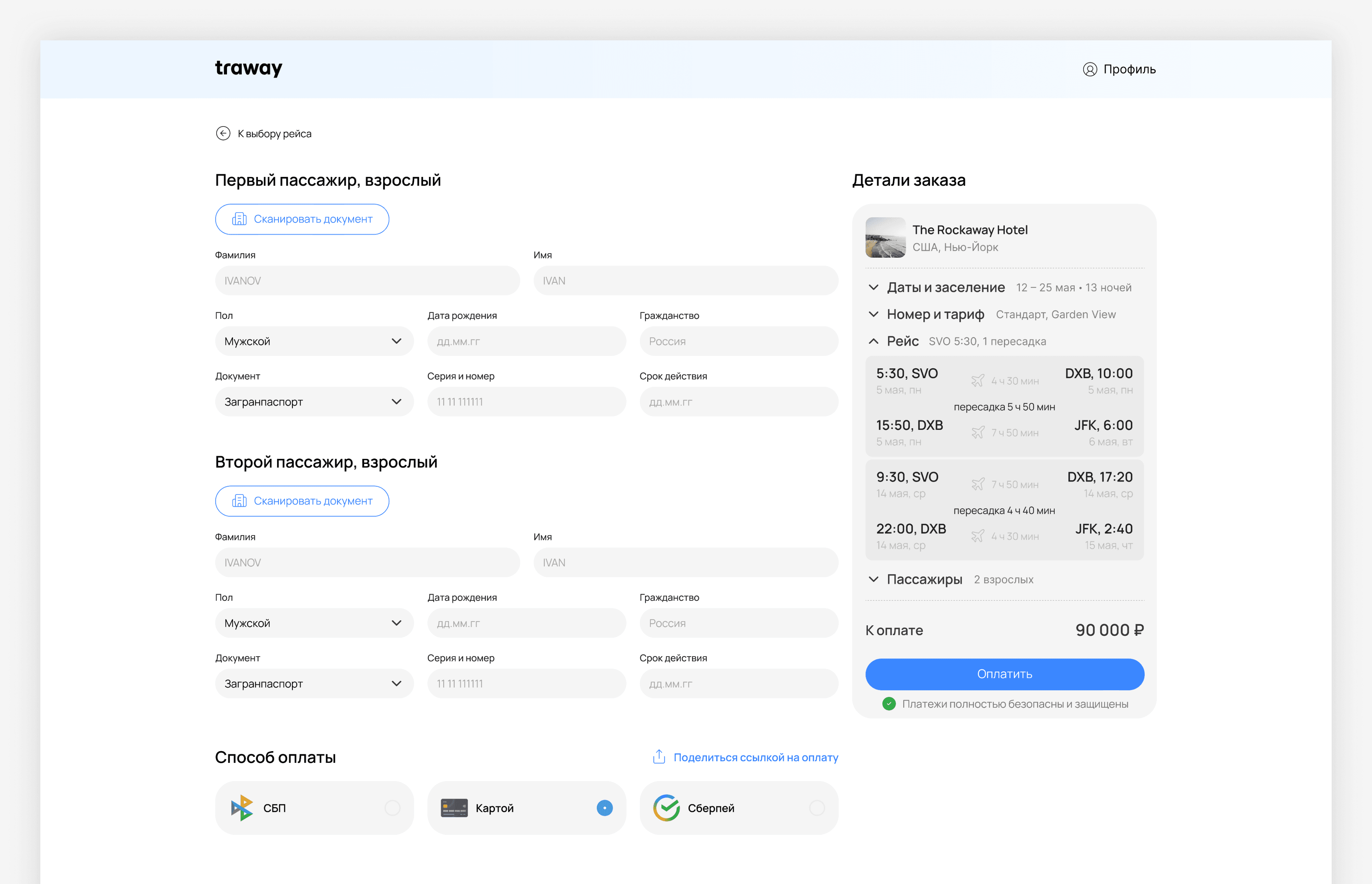
Passenger check-in and tour payment page. To simplify data entry and reduce the likelihood of errors, a document scanning function is available
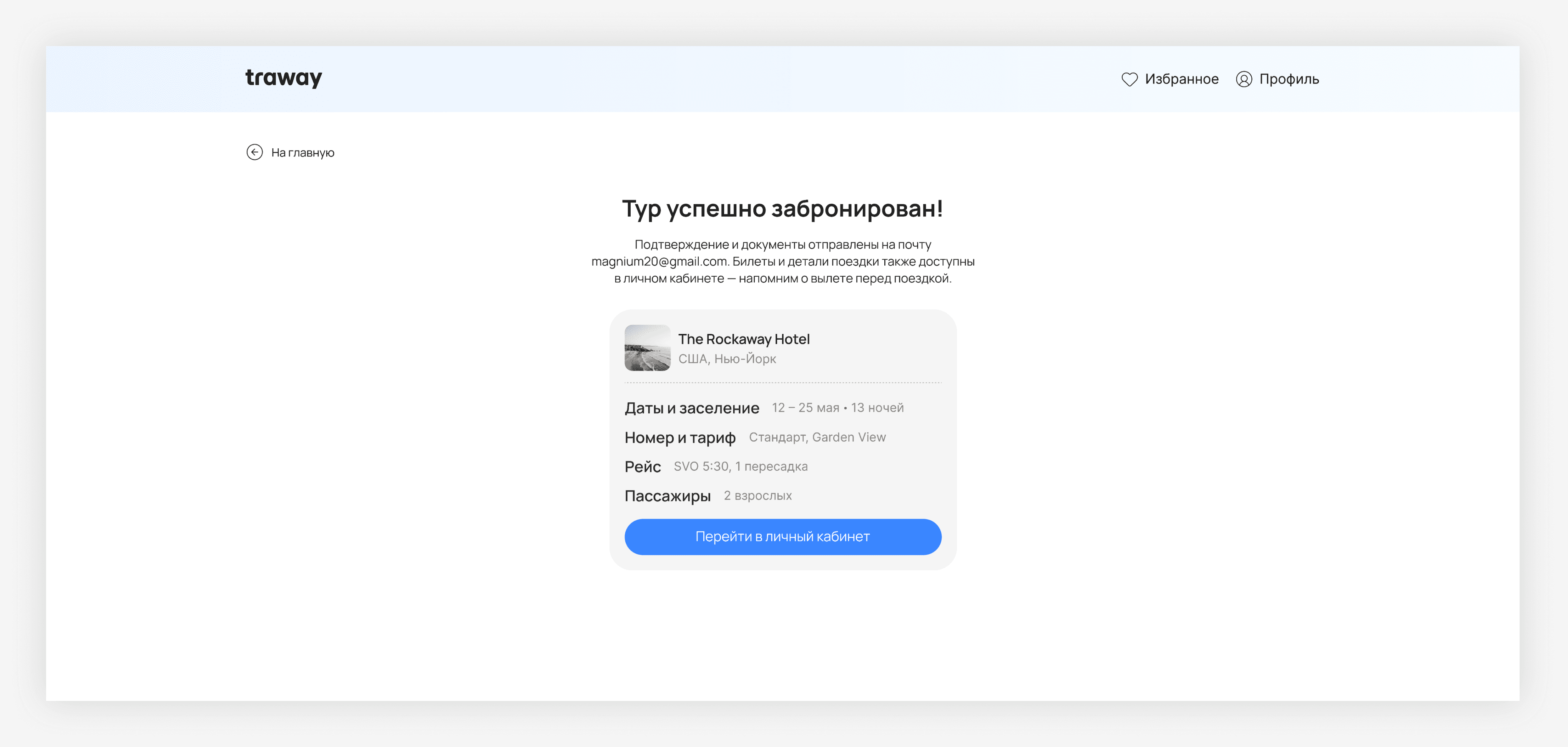
After successful payment, the user receives a booking confirmation with basic trip information. The screen briefly displays tour details, as well as additional information about documents, tickets, and trip access in their personal account
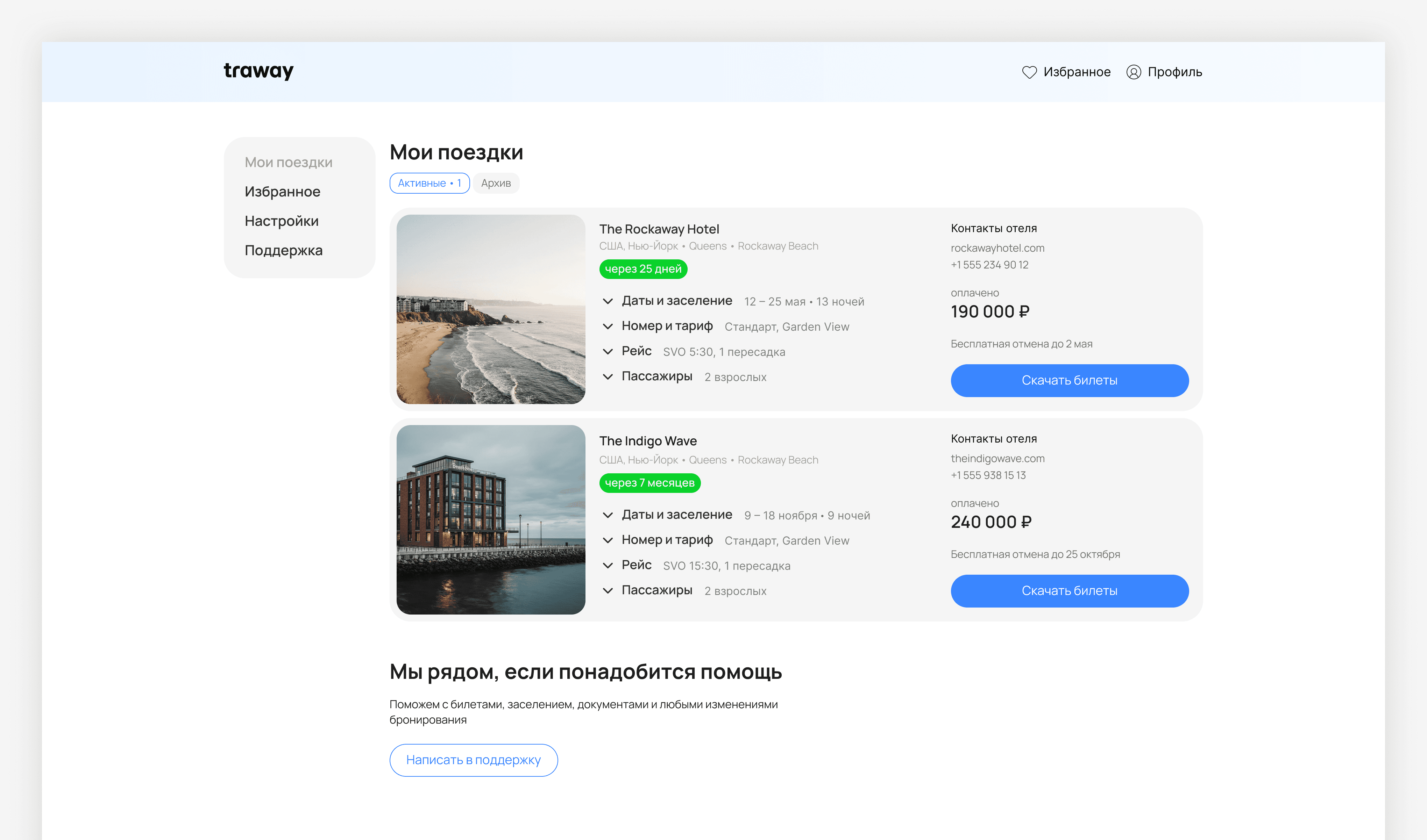
Personal account with information about upcoming and completed trips
The cards contain basic information about the trip, payment and fligh
The user can download tickets
A dedicated support unit helps you quickly seek help
Thanks for watching!
HAVE AN IDEA, PROJECT, OR SUGGESTION? WRITE TO ME!